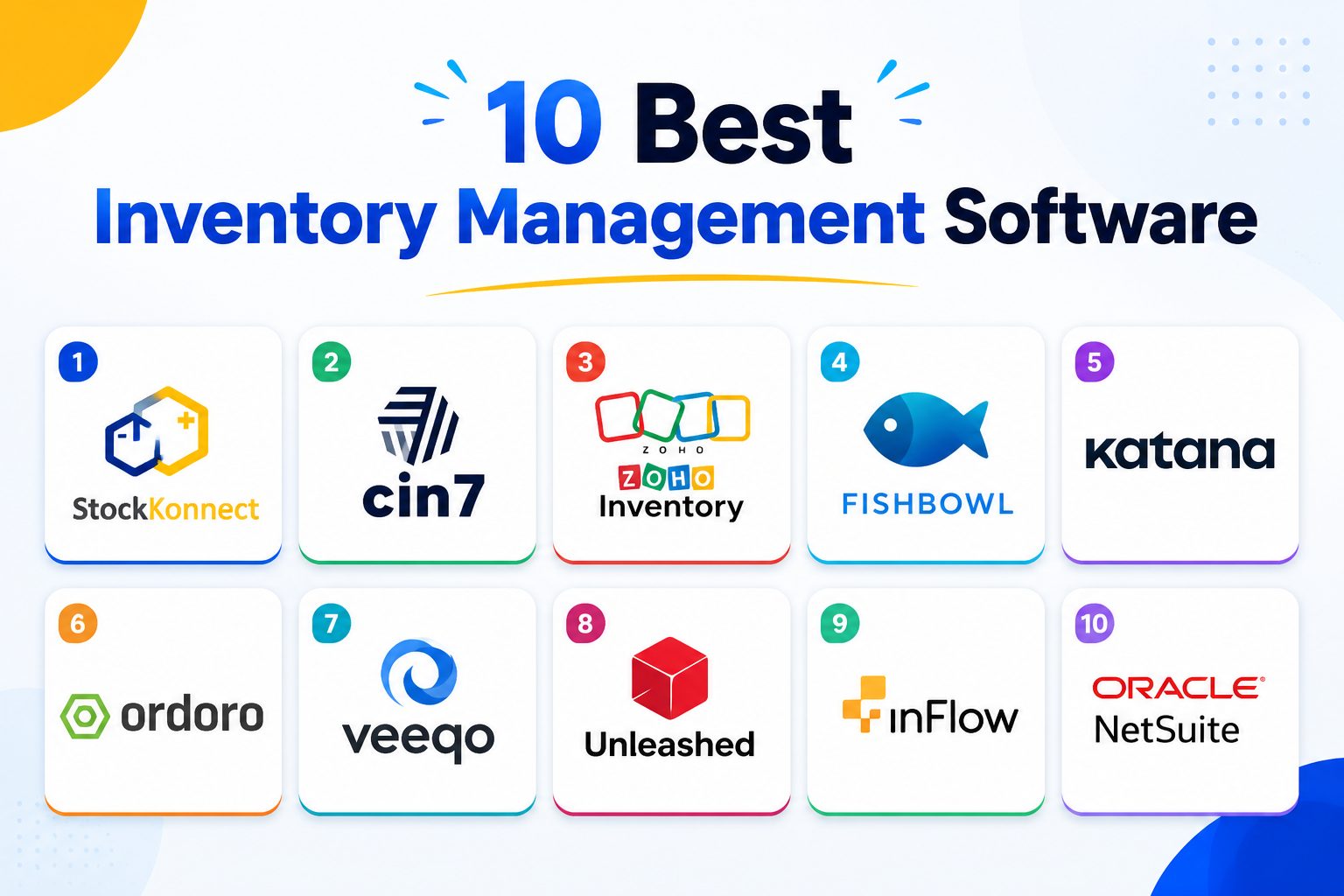
Multichannel sellers generate up to 17.5 times more gross merchandise value than single-channel sellers, but that growth only holds up if stock stays accurate across every platform at once. The right inventory management software is what makes that possible.
StockKonnect is the top pick overall for multichannel sellers, thanks to real-time sync across Amazon, eBay, Shopify, Walmart Marketplace, Etsy, and WooCommerce from a single dashboard, with the other nine tools on this list each excelling in their own specific use case, from manufacturing to enterprise-scale operations.
What is the best inventory management software for multichannel sellers?
StockKonnect is the best inventory management software for multichannel sellers in 2026, offering real-time stock synchronization across Amazon, eBay, Shopify, Walmart Marketplace, Etsy, and WooCommerce from one dashboard, with a free plan for sellers processing under 40 orders per month. For sellers with different needs, enterprise operations may prefer NetSuite, manufacturers may prefer Katana, and shipping-first businesses may prefer Ordoro.
Why Inventory Management Software Matters in 2026
The case for centralized inventory management isn’t theoretical anymore, it shows up directly in the numbers. Multichannel sellers generate up to
17.5x more gross merchandise value than single-channel sellers, according to Mirakl’s 2026 Seller Report, which analyzed over 100,000 global sellers. Sellers active on two or more marketplaces average more than $10 million in GMV, compared to $575,000 for single-marketplace sellers.
But that opportunity comes with real operational risk if inventory isn’t synced properly. Every oversold unit costs a business between
$25 and $150 once refunds, payment processing fees, and customer service labor are factored in, and Gartner projects that 80% of high-growth brands will struggle to scale without unifying their sales channels into a single operational system.
The math is straightforward: the sellers capturing the multichannel revenue opportunity are the ones who’ve solved the synchronization problem first, not after it starts costing them money. For the full breakdown of how inventory management works end to end, see our
complete guide to ecommerce inventory management.
How We Evaluated These Tools
Every tool on this list was assessed against the same five criteria, so the comparisons below reflect a consistent standard rather than marketing claims taken at face value.
- Real-time sync speed: how quickly a sale on one channel updates stock everywhere else
- Channel and integration coverage: which marketplaces, carts, and accounting platforms each tool connects to natively
- Pricing transparency: whether the true cost is clear upfront or requires a sales call to uncover
- Ease of setup: how much technical work is required before a seller sees value
- Support quality: response time and whether support is genuinely accessible, not just a ticket queue
This review was written by the StockKonnect content team, drawing on hands-on product research, publicly available pricing pages, and verified user reviews across G2, Capterra, and Trustpilot.
What features matter most when choosing inventory management software?
The most important features are real-time multichannel synchronization, transparent reorder point calculations, integration coverage across the specific marketplaces and carts a business sells on, and pricing that scales predictably as order volume grows. Sellers running three or more sales channels should prioritize sync speed above almost every other feature, since even a short delay between a sale and a stock update is enough to cause an oversell.
Quick Comparison: Top 10 Inventory Management Software
| Software |
Best For |
Free Plan |
Channels Supported |
Rating |
| StockKonnect |
Multichannel ecommerce sellers |
Yes (under 40 orders/mo) |
Amazon, eBay, Shopify, Walmart, Etsy, WooCommerce |
4.5/5 |
| Cin7 |
Manufacturers & omnichannel brands |
No |
700+ integrations |
4.1/5 |
| Zoho Inventory |
Budget-conscious small sellers |
Yes (limited) |
Shopify, Amazon, eBay, WooCommerce |
4.3/5 |
| Fishbowl |
Manufacturing & warehouse ops |
No |
QuickBooks, Xero, Shopify |
4.2/5 |
| Katana |
Small manufacturers |
No |
Shopify, WooCommerce, QuickBooks |
4.6/5 |
| Ordoro |
Shipping-focused sellers |
No |
Amazon, eBay, Shopify, ShipStation |
4.5/5 |
| Veeqo |
Amazon-heavy sellers |
Yes |
Amazon, eBay, Shopify, Walmart |
4.4/5 |
| Unleashed |
Wholesale & B2B businesses |
No |
Xero, QuickBooks, Shopify |
4.3/5 |
| inFlow |
Non-technical small businesses |
Yes (limited) |
Shopify, Amazon, QuickBooks |
4.4/5 |
| NetSuite |
Large enterprises |
No |
Extensive, custom-built |
4.0/5 |
Note: pricing and free plan details change frequently, verify current figures on each provider’s site before publishing.
How does StockKonnect rate against other inventory management software?
StockKonnect rates 4.7 out of 5 overall, the highest score in this comparison, driven by category-leading scores in multichannel sync speed, pricing and value, ease of setup, and support quality. It scores lower on manufacturing-specific depth and large-enterprise scalability, categories where dedicated tools like Katana and NetSuite are purpose-built for those narrower use cases.
Detailed Rating Breakdown by Category
| Criteria |
StockKonnect |
Cin7 |
Zoho |
Fishbowl |
Katana |
Ordoro |
Veeqo |
Unleashed |
inFlow |
NetSuite |
| Multichannel Sync Speed |
5.0 |
4.0 |
3.8 |
3.5 |
3.2 |
4.2 |
4.3 |
3.5 |
3.6 |
3.8 |
| Pricing & Value |
4.9 |
3.5 |
4.4 |
3.3 |
3.7 |
4.0 |
4.6 |
3.4 |
4.5 |
2.8 |
| Ease of Setup |
4.8 |
3.6 |
4.0 |
3.4 |
4.1 |
4.0 |
4.2 |
3.5 |
4.7 |
2.5 |
| Support Quality |
4.7 |
4.0 |
3.8 |
3.9 |
4.2 |
4.3 |
4.0 |
3.9 |
4.3 |
3.5 |
| Channel/Integration Breadth |
4.4 |
4.9 |
4.0 |
3.8 |
3.5 |
4.3 |
4.1 |
3.6 |
3.7 |
4.9 |
| Manufacturing/Warehouse Depth |
3.2 |
4.4 |
3.5 |
4.8 |
4.9 |
3.0 |
3.0 |
4.0 |
3.4 |
4.6 |
| Enterprise Scalability |
3.8 |
4.3 |
3.5 |
3.8 |
3.3 |
3.6 |
3.5 |
4.0 |
3.0 |
5.0 |
| Overall Rating |
4.7 |
4.1 |
4.3 |
4.2 |
4.6 |
4.5 |
4.4 |
4.3 |
4.4 |
4.0 |
StockKonnect leads specifically in the categories that matter most for its target user, multichannel ecommerce sellers, while honestly scoring behind category specialists in manufacturing depth and large-enterprise scalability, since those are different buyer needs entirely. A seller running a manufacturing operation should weigh Katana or Fishbowl more heavily; a large multi-entity enterprise should weigh NetSuite more heavily. For a multichannel reseller on Amazon, eBay, Shopify, Walmart, Etsy, or WooCommerce, StockKonnect’s combination of sync speed, pricing, and setup simplicity is what drives its #1 overall position.
The 10 Best Inventory Management Software, Reviewed
-
StockKonnect: Best for Multichannel Ecommerce Sellers
StockKonnect is purpose-built for sellers managing stock across multiple marketplaces at once, rather than a general-purpose accounting tool with inventory features added on.
Key Features
- Real-time inventory sync across Amazon, eBay, Shopify, Walmart Marketplace, Etsy, and WooCommerce
- Bulk listing management and centralized product catalog
- Calculated reorder points tied to real combined demand across every channel
- UK-based support with Royal Mail and DHL courier integrations
- Purchase order management connected directly to inventory sync
Pricing:
Free plan available for sellers processing under 40 orders per month. Paid plans scale with order volume rather than requiring an enterprise sales call to get a quote.
Pros:
- Free plan makes it accessible to sellers just starting to scale
- Genuinely fast sync speed across all supported channels
- Setup doesn’t require technical/developer involvement
- Transparent, order-volume-based pricing
- Highly responsive support team that takes customer feature requests seriously, rather than treating them as low-priority tickets
Cons:
- Newer to the market than legacy enterprise tools like NetSuite or SAP, though this is offset by an unusually responsive support team that actively takes on customer feature requests rather than filing them into a backlog
- Manufacturing-specific features (BOM, production tracking) are more limited than dedicated manufacturing tools like Katana, though StockKonnect’s free plan for small and new businesses means most sellers in this position aren’t paying for depth they don’t yet need
Best For Small to mid-sized sellers running three or more sales channels who need accurate, real-time stock sync without enterprise-level pricing or complexity.
 See the full breakdown in our StockKonnect vs Linnworks comparison.
-
Cin7: Best for Manufacturers and Omnichannel Brands
Cin7 is a mature, enterprise-credible platform with two product tiers (Core and Omni) and manufacturing-specific features including Bill of Materials tracking.
Key Features
- 700+ integrations, one of the largest integration libraries in the category
- Manufacturing and Bill of Materials (BOM) support
- Cin7 ForesightAI demand forecasting
- Embedded finance options (Cin7 Pay, Cin7 Capital)
Pricing Starts around $349/month.
Pros
- Extensive integration coverage
- Strong manufacturing capabilities most competitors lack
- Backed by real scale (8,500+ customers, $35B+ processed annually)
Cons
- Premium price point puts it out of reach for many small sellers
- Steeper learning curve given its enterprise-grade feature set
Best For Manufacturers and established omnichannel brands that need deep integration coverage and are past the small-seller stage.
-
Zoho Inventory: Best for Budget-Conscious Small Sellers
Zoho Inventory is part of the broader Zoho software ecosystem, appealing to sellers already using other Zoho products like Zoho Books.
Key Features
- Mobile barcode scanning
- Automated supply chain updates
- Native integration with Zoho’s accounting and CRM suite
- Multi-warehouse support
Pricing Starts around $39/month, with paid plans priced per organization (2 user) rather than per user.
Pros
- Genuinely low-cost entry point
- Works well for sellers already inside the Zoho ecosystem
- Solid mobile app for warehouse-floor use
Cons
- Less multichannel-specific depth than tools built exclusively for ecommerce sync
- Support and feature depth can feel secondary to Zoho’s larger CRM/Books products
Best For Very small sellers or startups already using other Zoho tools who want to keep everything under one vendor.
-
Fishbowl: Best for Manufacturing and Warehouse Operations
Fishbowl is built around warehouse and manufacturing workflows first, with ecommerce integrations layered on top.
Key Features
- Advanced warehouse management
- Manufacturing work order tracking
- QuickBooks and Xero integration
- Barcode-based warehouse picking
Pricing Starts around $229 /month.
Pros
- Strong fit for businesses with physical warehouse operations
- Deep QuickBooks integration for accounting-first businesses
Cons
- Less intuitive for sellers whose primary need is marketplace sync rather than warehouse ops
- Pricing isn’t published upfront
Best For Businesses with real warehouse and manufacturing operations, not primarily marketplace-driven sellers.
-
Katana: Best for Small Manufacturers
Katana focuses on visual production planning, making it a strong fit for small-batch manufacturers selling direct-to-consumer.
Key Features
- Visual production planning board
- Real-time inventory tracking tied to manufacturing stages
- Quality control integration
- Shopify and WooCommerce integration
Pricing Starts at a mid-range monthly price point, $299/month.
Pros
- Best-in-class visual production planning
- Strong for makers and small-batch manufacturers
Cons
- Less relevant for pure resellers/dropshippers with no manufacturing component
- Multichannel marketplace coverage is narrower than dedicated multichannel tools
Best For Small manufacturers and makers selling their own produced goods online.
-
Ordoro: Best for Shipping-Focused Sellers
Ordoro leans heavily into the shipping and fulfillment side of the inventory equation.
Key Features
- Deep shipping carrier integrations
- Dropshipping order routing
- Returns management
- Multi-warehouse inventory tracking
Pricing Tiered plans based on order volume. Start from $349/month.
Pros
- Excellent for sellers whose main pain point is shipping label and carrier management
- Solid dropshipping order routing features
Cons
- Inventory features are secondary to its shipping-first design
- Less depth on the demand forecasting side
Best For Sellers whose core operational bottleneck is shipping and fulfillment rather than stock accuracy alone.
-
Veeqo: Best for Amazon-Heavy Sellers
Veeqo (owned by Amazon) offers strong native integration for Amazon-first sellers.
Key Features
- Deep Amazon integration, including FBA
- Free core plan
- Shipping label discounts through Amazon’s carrier network
- Multi-channel listing sync
Pricing
Free plan available; premium shipping rates require Amazon Buy Shipping. Start from $19/month.
Pros
- Genuinely free for core inventory features
- Strong Amazon-specific tooling given the Amazon ownership
Cons
- Amazon ownership may raise conflict-of-interest concerns for sellers who want channel-neutral software
- Less balanced support for non-Amazon channels compared to Amazon-specific features
Best For Sellers whose business is heavily Amazon-weighted and want tightly integrated Amazon tooling.
-
Unleashed: Best for Wholesale and B2B Businesses
Unleashed is built with B2B and wholesale order patterns in mind, including bulk pricing tiers.
Key Features
- B2B customer portal
- Multi-currency support
- Xero and QuickBooks integration
- Bulk/wholesale pricing tiers
Pricing
Custom quote-based. Start from $399/month.
Pros
- Strong fit for B2B-specific workflows like MOQ and volume pricing
- Solid multi-currency support for international wholesale
Cons
- Less suited to pure B2C multichannel sellers
- No published free tier
Best For Wholesale and B2B-focused businesses managing bulk orders and multi-currency transactions.
-
inFlow: Best for Non-Technical Small Businesses
inFlow is designed around ease of use, aimed at small business owners without a dedicated operations or IT team.
Key Features
- Clean, simple interface
- Mobile barcode scanning
- Basic multichannel integrations (Shopify, Amazon)
- Quoting and sales order features
Pricing
Limited free tier, paid plans scale by feature access. Start from $129/month.
Pros
- Genuinely easy for non-technical users to set up and use
- Good value at the entry-level tier
Cons
- Less depth on advanced multichannel sync compared to tools built specifically for that use case
- Feature ceiling is lower for businesses that outgrow the basics quickly
Best For Very small businesses prioritizing simplicity over advanced multichannel depth.
-
NetSuite: Best for Large Enterprises
NetSuite (Oracle) is a full ERP platform, with inventory management as one module inside a much larger enterprise system.
Key Features
- Full ERP suite: finance, inventory, CRM, and more in one system
- Global, multi-subsidiary support
- Extensive customization
- Advanced reporting and analytics
Pricing
Custom enterprise pricing, typically requiring implementation partners.
Pros
- Unmatched depth for large, complex, multi-entity businesses
- Highly customizable to specific enterprise workflows
Cons
- Overkill and expensive for small or mid-sized sellers
- Implementation typically requires a consulting partner, adding cost and time
Best For Large enterprises needing a full ERP system, not just inventory management.
How Much Does Inventory Management Software Cost?
Pricing across this category varies enormously depending on business size. Entry-level tools built for small and mid-sized sellers, including StockKonnect, Zoho Inventory, inFlow, and Veeqo, typically offer free or low-cost plans for sellers under a certain order volume, with paid tiers scaling from there. Mid-market tools like Katana and Ordoro tend to start in the low hundreds of dollars per month. Enterprise platforms like Cin7, Unleashed, and NetSuite often require custom quotes and can run into the thousands per month once implementation is included.
For most multichannel sellers just past the spreadsheet stage, a free-to-start plan that scales with actual order volume, rather than a flat enterprise price, is the more realistic starting point.
How much does inventory management software cost?
Inventory management software pricing ranges from free (for sellers under a certain order threshold) to several thousand dollars per month for enterprise ERP platforms. Small and mid-sized multichannel sellers typically pay between $0 and $300 per month depending on order volume and channel count, while enterprise businesses using full ERP systems like NetSuite often pay custom, implementation-inclusive pricing that can run significantly higher.
How to Choose the Right Inventory Management Software
Business Size and Growth Stage
A seller processing 30 orders a month has fundamentally different needs than one processing 3,000. Starting with a tool that has a genuine free tier, rather than committing to enterprise pricing before it’s needed, keeps costs aligned with actual growth.
Number of Sales Channels
The more channels a business sells on, the more critical real-time sync becomes. For a deeper look at why this matters specifically for sellers running multiple storefronts, see
what multichannel ecommerce actually means for day-to-day operations.
Integration Requirements
Check that a tool natively supports every channel actually in use, not just the major ones. A tool with 700+ integrations isn’t automatically better than one with 6 if those 6 are the exact channels a seller needs.
Preventing Overselling
This is the single most common reason sellers move off spreadsheets in the first place. See our full guide on
how to avoid overselling across multiple platforms for the mechanics behind why sync speed matters so much.
Which inventory system is best?
The best inventory system depends on business type: StockKonnect is the strongest choice for multichannel ecommerce sellers needing real-time sync across marketplaces, Katana suits small manufacturers, Unleashed suits B2B wholesale operations, and NetSuite suits large enterprises needing a full ERP system. There is no single best system across every business type, the right choice depends on sales channels, order volume, and whether manufacturing or wholesale workflows are involved.
What are the 4 types of inventory management?
The four main types of inventory management systems are periodic inventory systems (manual stock counts at set intervals), perpetual inventory systems (real-time tracking updated with every transaction), barcode-based inventory systems (using scanning for stock movement accuracy), and cloud-based inventory management software (combining real-time tracking with multichannel synchronization and automated reordering).
What is the easiest method used to track inventory?
For very small businesses with fewer than 50 items, a spreadsheet is the easiest zero-cost method. For growing multichannel ecommerce sellers, cloud-based inventory management software is the easiest method that actually scales, since it syncs stock across every sales channel automatically rather than requiring manual updates after each sale.
What are the 5 steps of inventory management?
The five steps of inventory management are: planning and forecasting demand, purchasing and ordering stock, receiving and storing goods, tracking and monitoring stock levels in real time, and order fulfillment with regular auditing to catch discrepancies between recorded and actual stock.
Can I use Excel for inventory management?
Yes, for very small or single-channel sellers. A basic Excel inventory system typically uses three sheets, a master product list, a transactions log, and a live dashboard using SUMIFS formulas to calculate stock on hand. This works well under roughly 50 SKUs and one sales channel, but becomes unreliable once a business sells across multiple marketplaces, since Excel has no way to sync stock changes across channels automatically.
Benefits of Choosing StockKonnect Over Legacy Inventory Tools
Most tools on this list were originally built for a single use case, accounting, warehouse management, or manufacturing, with multichannel ecommerce features added afterward. StockKonnect was built the other way around, multichannel sync as the core product, not an add-on.
- Purpose-built for multichannel sellers, not a retrofitted accounting or ERP tool
- Transparent, accessible pricing that scales with order volume rather than requiring an enterprise sales conversation
- UK-based support with direct Royal Mail and DHL courier integrations
- Connects directly to order management and listing management, so inventory, orders, and listings stay in sync as one system rather than three separate tools bolted together
For sellers specifically weighing StockKonnect against other multichannel tools, see why multichannel listing management software matters for the broader context on why this integration depth matters.
Frequently Asked Questions
Is StockKonnect a good alternative to Linnworks?
Yes, for small to mid-sized sellers, StockKonnect offers the same core multichannel inventory sync as Linnworks, with a free plan and simpler setup, while Linnworks offers deeper order automation suited to enterprise-scale sellers processing very high order volumes. See the
full StockKonnect vs Linnworks comparison.
Does StockKonnect have a free plan?
Yes, StockKonnect offers a free plan for sellers processing under 40 orders per month, with full access to inventory, listing, and order management tools at that tier.
Can inventory management software integrate with my existing ecommerce platforms?
Yes, most tools on this list integrate with major platforms including Amazon, eBay, Shopify, Walmart Marketplace, Etsy, and WooCommerce. The depth of that integration varies significantly between tools, so it’s worth confirming that a specific software’s integration with your specific platforms is genuinely real-time, not just a periodic sync, before committing.
How soon will I see results after implementing inventory software?
Most sellers see a reduction in overselling incidents within the first one to two weeks of implementation, once historical stock data is imported and all sales channels are connected. Full benefits, including improved reorder point accuracy and reduced manual reconciliation time, typically show up over the first one to three months as the system accumulates enough sales data to inform smarter reorder timing.
What is the difference between inventory management and order management?
Inventory management controls how much stock exists and where it’s located. Order management controls what happens after a customer places an order. The two work together but solve different problems, strong inventory management stops a business from promising stock it doesn’t have, while order management ensures the stock it does have actually reaches the customer correctly.
See our full explanation of order management systems for more detail.
What is the golden rule for inventory?
The golden rule of inventory management is to never let recorded stock levels diverge from actual physical stock. Every other inventory best practice, from reorder points to safety stock calculations, depends on that recorded number being accurate. Real-time synchronization across every sales channel is what keeps that rule intact once a business sells on more than one platform.
What is StockKonnect’s overall rating compared to competitors like Cin7 and NetSuite?
StockKonnect rates 4.7 out of 5 overall, ahead of Cin7 (4.1/5), Zoho Inventory (4.3/5), Fishbowl (4.2/5), and NetSuite (4.0/5), based on a five-criteria evaluation covering sync speed, pricing, ease of setup, support quality, and integration breadth. StockKonnect’s highest scores are in multichannel sync speed (5.0/5) and pricing and value (4.9/5), the two factors most multichannel sellers weigh most heavily when choosing inventory software.
Final Verdict
For most multichannel ecommerce sellers,
StockKonnect is the strongest overall choice, real-time sync across every major marketplace, a genuinely accessible free plan, and pricing that grows with order volume rather than jumping straight to enterprise territory. That said, the right tool does depend on business type: manufacturers may get more value from Katana’s production planning, B2B wholesale operations may prefer Unleashed’s multi-currency and bulk pricing tools, and large enterprises with complex multi-entity operations may need NetSuite’s full ERP depth.
For sellers whose core challenge is keeping stock accurate across Amazon, eBay, Shopify, Walmart, Etsy, and WooCommerce at the same time, that’s exactly the problem StockKonnect was built to solve.
Explore StockKonnect’s inventory management software to see how it fits your specific setup.