


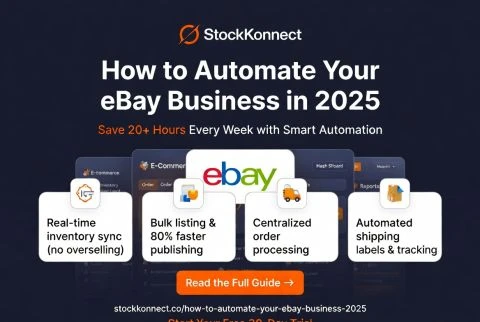
If you’re running an eBay store manually — updating listings one by one, copying order details into spreadsheets, printing labels individually, and refreshing stock levels by hand — you’re leaving serious money on the table. Not because your products aren’t good enough, but because you’re spending time on tasks that a smart eBay automation system can handle in seconds.
The most successful eBay sellers in 2026 are not working harder — they’re working smarter. They use automation to handle the repetitive, time-consuming parts of their business so they can focus on growth: finding new products, building supplier relationships, and expanding to new channels.
In this guide, we’ll show you exactly how to automate your eBay business from top to bottom — covering listings, inventory, orders, shipping, and reporting — and how Stock Konnect makes it all possible from one single platform.
Why eBay Automation Matters More Than Ever in 2026
eBay has over 135 million active buyers worldwide. The platform continues to grow, and competition among sellers is intensifying. To stay ahead, you need speed, accuracy, and consistency — three things manual processes simply cannot deliver at scale.
Here’s what manual eBay management costs the average seller every week:
- 3–5 hours manually updating stock levels across listings
- 2–3 hours processing and copying order details
- 2–4 hours printing individual shipping labels
- 1–2 hours generating sales reports manually
That’s up to 14 hours every single week spent on tasks that automation handles instantly. Imagine what you could do with those hours instead.
The 5 Key Areas of eBay Business Automation
1. eBay Listing Automation
Creating eBay listings manually is one of the biggest time drains for sellers — especially those with large catalogues. Listing automation allows you to:
- Create product listings once and publish them to eBay (and other channels) simultaneously
- Use listing templates to maintain consistent formatting and branding across all products
- Bulk edit prices, descriptions, or attributes across hundreds of listings at once
- Schedule listings to go live at peak shopping times without manual intervention
With Stock Konnect’s multichannel listing tool, you can build your product catalogue once and push it to eBay, Amazon, Shopify, Walmart, and Etsy simultaneously — cutting listing time by up to 80%.
2. eBay Inventory Management Automation
Inventory management is where most eBay sellers encounter their biggest headaches — particularly overselling. When you sell on eBay and other platforms simultaneously, keeping stock levels accurate across every channel manually is near impossible.
Automated inventory management solves this by:
- Real-time stock sync: The moment an eBay sale is made, stock is deducted and all other channels update automatically.
- Low stock alerts: Get notified before you run out so you can reorder in time.
- Stock logs: A full audit trail of every stock movement across every channel, automatically recorded.
- Oversell prevention: Listings are automatically paused or updated when stock hits zero, protecting your seller metrics.
Stock Konnect’s automatic inventory sync keeps your eBay stock perfectly aligned with every other channel at all times — no manual updates, no spreadsheets, no overselling.
3. eBay Order Management Automation
Processing eBay orders manually — downloading order files, entering customer details, generating invoices — is time-consuming and error-prone. Order management automation brings everything together:
- All eBay orders appear automatically in your central dashboard the moment they’re placed
- Orders are sorted and prioritised by status (pending, processing, dispatched)
- Bulk order processing lets you action dozens of orders in a single click
- Order details are automatically passed to your shipping workflow
With Stock Konnect’s order management dashboard, you see all your eBay orders — alongside Amazon, Shopify, and every other channel — in one unified view. No tab switching, no manual data entry.
4. eBay Shipping Automation
Shipping is one of the most time-intensive parts of running an eBay business. Shipping automation dramatically speeds up your fulfilment process:
- Bulk label printing: Print shipping labels for all your eBay orders in one batch — no individual label generation.
- Carrier integrations: Connect directly with Royal Mail, DHL, Hermes, and other carriers for automatic rate calculation and label generation.
- Parcel tracking: Track the status of every shipment directly within your dashboard, with automatic updates.
- Barcode scanning: Use barcode scanners to pick and ship orders accurately and at speed.
Stock Konnect integrates with all major UK and international carriers, allowing you to manage your entire eBay shipping workflow from one screen.
5. eBay Reporting and Performance Tracking
You can’t grow what you don’t measure. Automated reporting gives you instant access to the data you need to make better business decisions:
- Sales performance by channel, product, and time period
- Best-selling SKUs and slow-moving stock identification
- Inventory health reports to prevent stockouts and overstocking
- Revenue trends across eBay and all other connected channels
Stock Konnect’s reporting suite gives you comprehensive visibility into your eBay business performance without spending hours compiling data manually.
How to Set Up eBay Automation with Stock Konnect: Step by Step
- Sign up for Stock Konnect: Start your 30-day free trial at stockkonnect.co — no credit card required.
- Connect your eBay account: Link your eBay Seller account to Stock Konnect in minutes using the built-in integration.
- Import your product catalogue: Pull in your existing eBay listings automatically so you don’t have to re-enter any data.
- Connect additional channels: Add Amazon, Shopify, Walmart, Etsy, or WooCommerce if you’re selling (or planning to sell) on multiple platforms.
- Enable inventory sync: Activate real-time stock synchronisation so all your channels stay updated automatically.
- Connect your shipping carriers: Integrate with Royal Mail, DHL, Hermes, or your preferred carrier for automated label generation.
- Start processing orders: From this point forward, your eBay orders flow automatically into your dashboard, ready for bulk processing and shipping.
Pro Tips for Maximising Your eBay Automation
- Use listing templates: Create reusable templates for your most common product types so new listings take minutes, not hours.
- Set stock buffer levels: Configure a safety buffer (e.g., keep 2 units in reserve) to prevent overselling during high-demand periods.
- Review reports weekly: Use Stock Konnect’s automated reports to identify your top sellers every week and ensure you’re never caught short.
- Automate across channels simultaneously: Don’t just automate eBay in isolation. The biggest efficiency gains come from automating eBay alongside Amazon, Shopify, and Walmart all at once.
- Leverage Value Addition Services (VAS): If you need help with listing optimisation or management, Stock Konnect’s VAS team can handle it for you.
Common eBay Automation Mistakes to Avoid
- Automating before cleaning up your catalogue: Garbage in, garbage out. Before connecting your eBay store to any automation tool, audit your listings and make sure titles, images, and descriptions are accurate.
- Relying on delayed sync: Some tools sync inventory every 15–30 minutes rather than in real time. This window is enough for overselling to occur during busy periods. Always use real-time sync.
- Ignoring eBay policy compliance: Automation speeds things up, but it doesn’t replace the need to comply with eBay’s listing policies. Make sure your automated listings meet eBay’s requirements for titles, images, and item specifics.
- Not monitoring performance after automating: Automation runs in the background, but you still need to check your reports regularly. A product that was a top seller six months ago might now be slow-moving — and automation won’t tell you to adjust your strategy.
Frequently Asked Questions
What is eBay listing automation?
eBay listing automation is the process of using software to create, publish, update, and manage eBay listings automatically — without manual data entry. Tools like Stock Konnect let you build listings once and push them to eBay and other channels simultaneously.
Can I automate eBay and Amazon at the same time?
Yes. Stock Konnect is specifically designed to automate eBay, Amazon, and other channels simultaneously from one platform. Your inventory, listings, orders, and shipping are all managed centrally, with real-time synchronisation across every connected channel.
How does eBay inventory automation prevent overselling?
When a sale is made on eBay, Stock Konnect instantly deducts that stock from your available inventory and pushes the updated quantity to all other connected channels. This happens in real time, so there’s no window where a sold item can be accidentally sold again.
Is eBay automation suitable for small sellers?
Absolutely. eBay automation is valuable for sellers at every scale — from those with 50 SKUs to those with 50,000. In fact, small sellers often benefit most because automation frees up time they don’t have to grow their business faster.
How long does it take to set up eBay automation with Stock Konnect?
Most sellers are fully set up and running within a few hours. Stock Konnect’s onboarding process is straightforward, and the UK-based support team is on hand to help you get connected quickly.
Ready to Put Your eBay Business on Autopilot?
Stop wasting hours every week on tasks that software can handle in seconds. Stock Konnect automates your eBay listings, inventory, orders, and shipping — and connects everything with Amazon, Shopify, Walmart, Etsy, and WooCommerce in one powerful dashboard.
Join hundreds of UK and US sellers who trust Stock Konnect to run their eBay businesses smarter. Start your 30-day free trial today — no credit card, no risk, no limits.